How to change your mobile plan in My Account
When you change your TPG Mobile plan, your new plan will kick in at the start of your next billing period. If your next billing period begins in less than 7 days, your new plan will kick in at the start of the following billing period instead.
Important: If you submit multiple plan changes, you may override your previous plan change.
-
Log in to My Account and hit Change Plan.
Never used My Account before? Check out An Introduction to My Account. -
Under "Want to try a new plan?", hit Change Plan.

-
Choose your new plan from the list of available options. Take note of the date your plan change will happen, then hit Next.

-
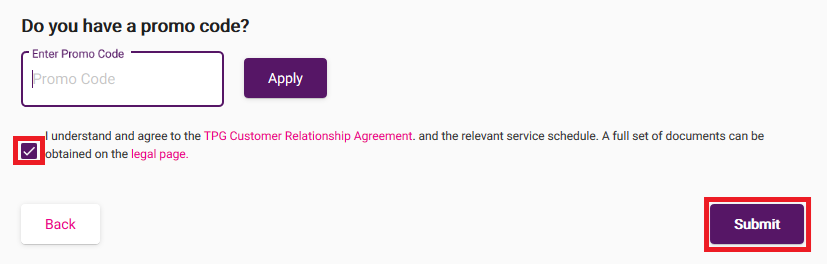
You'll see a summary of your plan change. If you have a promo code, enter it and hit Apply.
-
Tick the box to agree to the terms and conditions and then hit Submit.
-
We'll send you an email and SMS to confirm when your plan change is done.